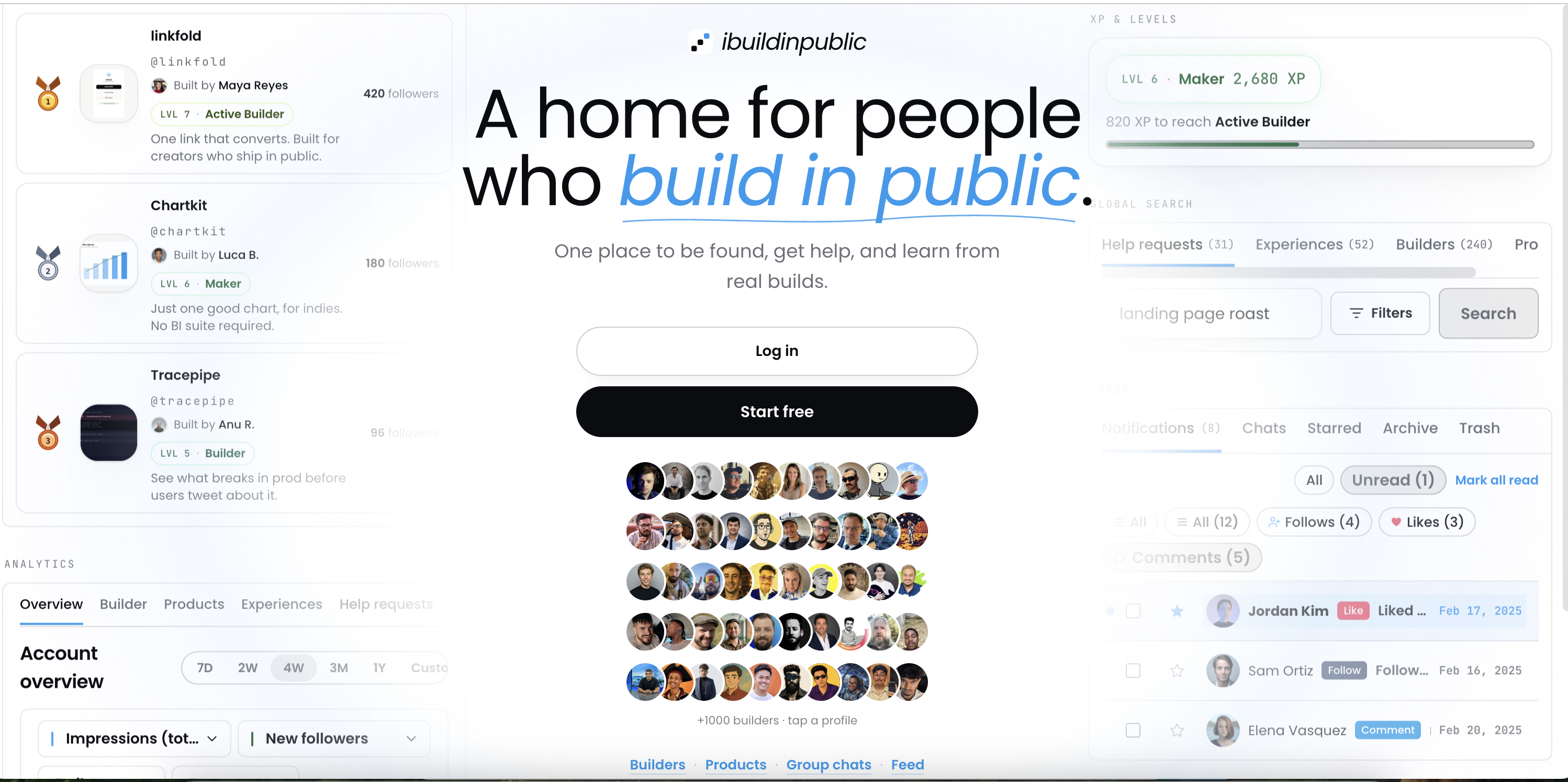

I never studied design. I built a website for people who ship work in public. The first page looked good. The pages after it often did not. I kept asking: why does this screen feel cheap while the homepage feels like a real place? Over time I got clear answers. They are simple enough that anyone can use them.
#1 - One good page is your teacher
Our homepage has a clear headline, calm colors, and space to breathe. I used it as a checklist for every new page. Does this screen give the same calm? Does it look like the same brand? When I open settings or messages, I should still feel I am on ibuildinpublic. When a page feels like a random template, I change it until it matches the homepage mood. You can do the same with any product: pick the one screen you like most and copy its feeling, not every pixel.
#2 - Colors change mood before words do
I use an off-white background and dark gray text. The site feels softer than bright white and pure black. People stay longer when the screen feels like paper in a nice room. I save bright blue for links and special marks. Most buttons stay dark or light neutral. That way blue always means “go here.” If every button is blue, nothing stands out. Open two apps side by side on your phone. One with soft background, one with harsh white. You will feel the difference in ten seconds.
#3 - Not all text should look the same
Headlines on our site use a serif italic style for emotional lines like “build in public.” Normal buttons and menus use a plain sans font. Usernames and times use a monospace style so they look like data. When everything uses one font, the page feels flat. When each kind of text has its own look, the page feels made by a person. Next time you read a product page, notice which lines your eye hits first. Those lines probably look different on purpose.
#4 - Phones need a full screen for one task
On desktop I can show a chat list and a conversation at once. On a phone that same layout becomes a thin strip. Text gets hard to read. I split the flow: list first, tap a chat, conversation takes the full screen, back returns to the list. I also save where you were in the list so back does not jump to the top. You have felt this in other apps. Some remember your place. Some reset you to the start. The second one feels broken even if the colors are pretty.
#5 - Too much empty margin shrinks content
The app has outer padding. Cards have padding. Sections have padding. Add them all and the actual words sit in a small box in the center. I check every new feature on a real phone. If the content looks like a postcard, I remove one layer of padding. This is a common mistake. Each layer looked fine alone. Together they steal space from reading.
#6 - Tap targets should fit a thumb
Small checkboxes and tiny text links are hard on a phone in a hurry. I make main actions at least finger height in important places: tabs, inbox rows, send buttons. You can test your own app with your thumb only. If you miss taps, enlarge the hit area. Design includes how it feels to use one hand on a bus.
#7 - Write down what you decided
I keep a short design doc. Warm background. Serif for hero emotion. Blue for links. One column on small screens for chat. Read it before new pages ship. When I learn something in support or on Twitter/X, I add a line to the doc. Memory fades. Written rules stay. You do not need a design degree to write: “Our homepage is the standard. Match its calm.”
What you can take away today
Design for ibuildinpublic grew from shipping and fixing annoyances. Pick a standard page. Soften colors for comfort. Give different text different roles. On mobile, one main task per screen. Check padding on a phone. Make taps big enough. Write the rules so the next page does not drift.
You can learn this by using your own product on a phone every week and noting what frustrates you. That frustration is the lesson. Fix it, write it down, and the product slowly feels like one home instead of a pile of screens.