ibuildinpublic
Log inStart free
ibuildinpublic
Log inStart free
BuilderProductPosts8
·Lvl 4·Contributor·Nov 17
Product update

I published a new ShipPress tutorial (Mac & Windows): bring online changes back to your computer. Hit Download to pull files, database, or everything. A restore point is saved first so you can undo, and the live site is never changed:
https://shippress.codotx.com/docs-download-from-host
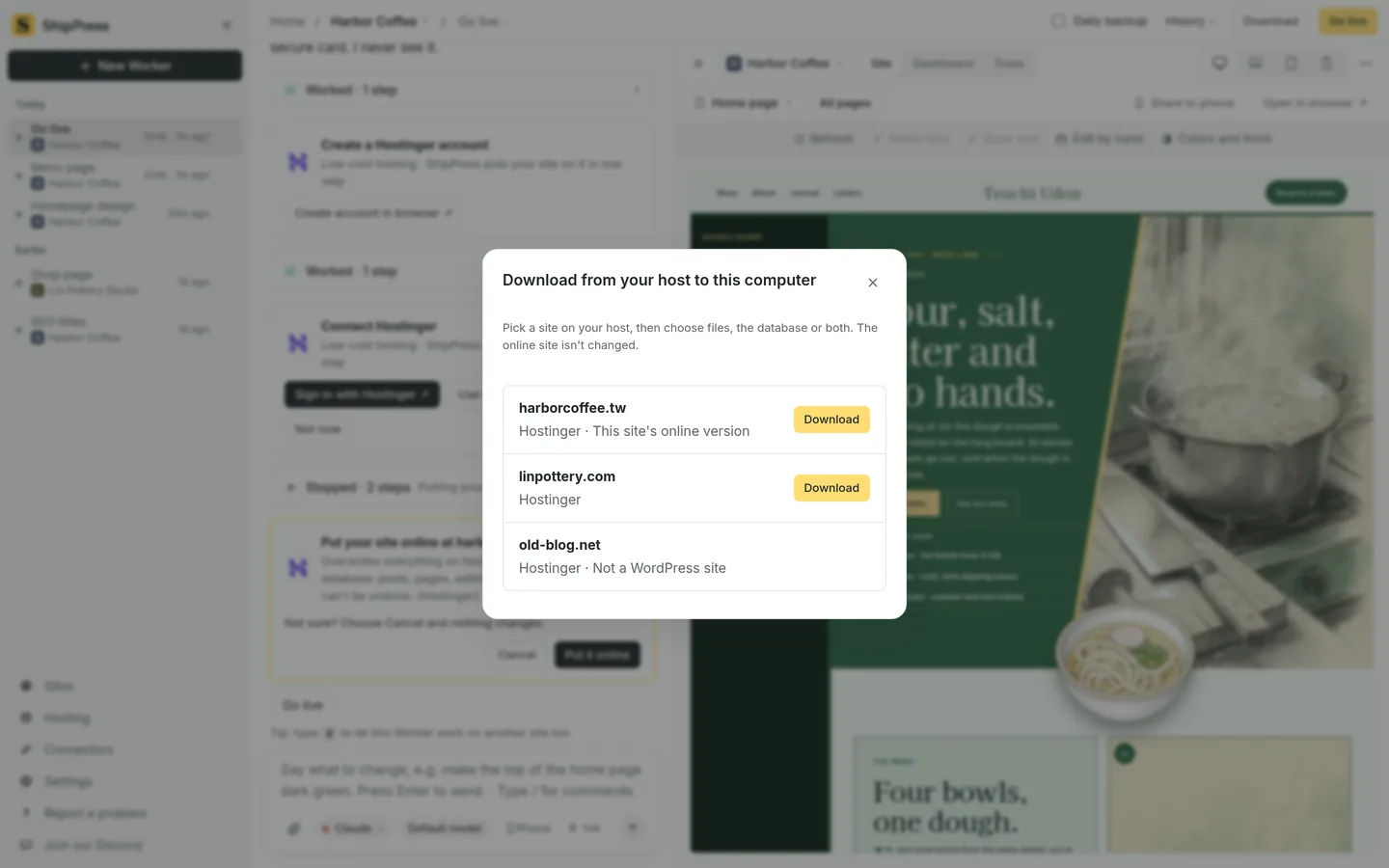

2026-11-17-download-from-host
4likes4comments40Impressions
1Bookmark
Sign in to interact
Get to know meSign in to cheer them on
Sign in to reply

4 replies

Mark Rosario
Mark Rosario@markrosarioLvl 9·Dedicated·Nov 18
The Mac and Windows coverage is what makes this useful to a wider crowd — a lot of these tools only ever ship for one side. The docs link landing straight on the download flow is a nice touch too, no hunting around.
commentslikes
Konstantinos G
Konstantinos G@emarkssLvl 7·Active Builder·Nov 17
Leaving the live site untouched is the right default here: a pull that only runs one way means a wrong click can cost a local copy, never a page your visitors see, and the restore point covers the local side.
commentslikes
Tito Kiragu
Tito Kiragu@tito_kiraguLvl 8·Shipper·Nov 17
A restore point saved before the download is the detail that makes this trustworthy, because that is where copy-back tools usually go wrong. Pulling files, database or everything down to the local machine closes the loop most teams leave open, where the cloud copy slowly drifts away from what you run in development. Nice scope for one tutorial.
commentslikes
Ehsan
Ehsan@acadictiveLvl 8·Shipper·Nov 17
Match idea for Product update: @originforgestudio, @abubakkarsiddique, @yuvrajkhavad, @kaundal, and @kevinelliott posted in this topic not long ago. Say hi if you want more voices on this.
commentslikes