Blog
What to put on your product page before you submit to a launch directory
A launch directory submission checklist: the pitch, first screen, proof, and technical checks your product page needs before you submit, plus what to leave out.
Nov 19, 2026 · All posts

Why the product page matters more than the directory listing
A launch directory listing stays on the front page for a day or two. Everyone who clicks it still needs somewhere to land: a page that says what the product is, who it is for, and what to do next.
If that page is a vague slogan, a half-built landing screen, or a broken link, the visit ends there. The directory did its job. Your page did not.
So the first decision is not which directory to try. It is how you describe the product, in words you can paste into every submission form and keep on a page that stays up after the listing scrolls away. That page can live on your own domain, on a public product page such as the ones in the ibuildinpublic products catalog, or both.
Step 1: Write the pitch before you open the submission form
Most launch directory forms ask for the same fields: a name, a tagline, a longer description, a website URL, and an image. If you write those inside each form, every version will drift a little. Write the pitch once, then paste it everywhere.
The three-part pitch test
Aim for one or two sentences a stranger understands without a screenshot. They should answer:
- Who it is for
- What that person can do with it
- Why it is worth trying today
Cover the product name and read only the sentence. If it could describe any tool in your category, it is not ready. Replace "the all-in-one platform for modern teams" with something one specific person would recognize as their problem.
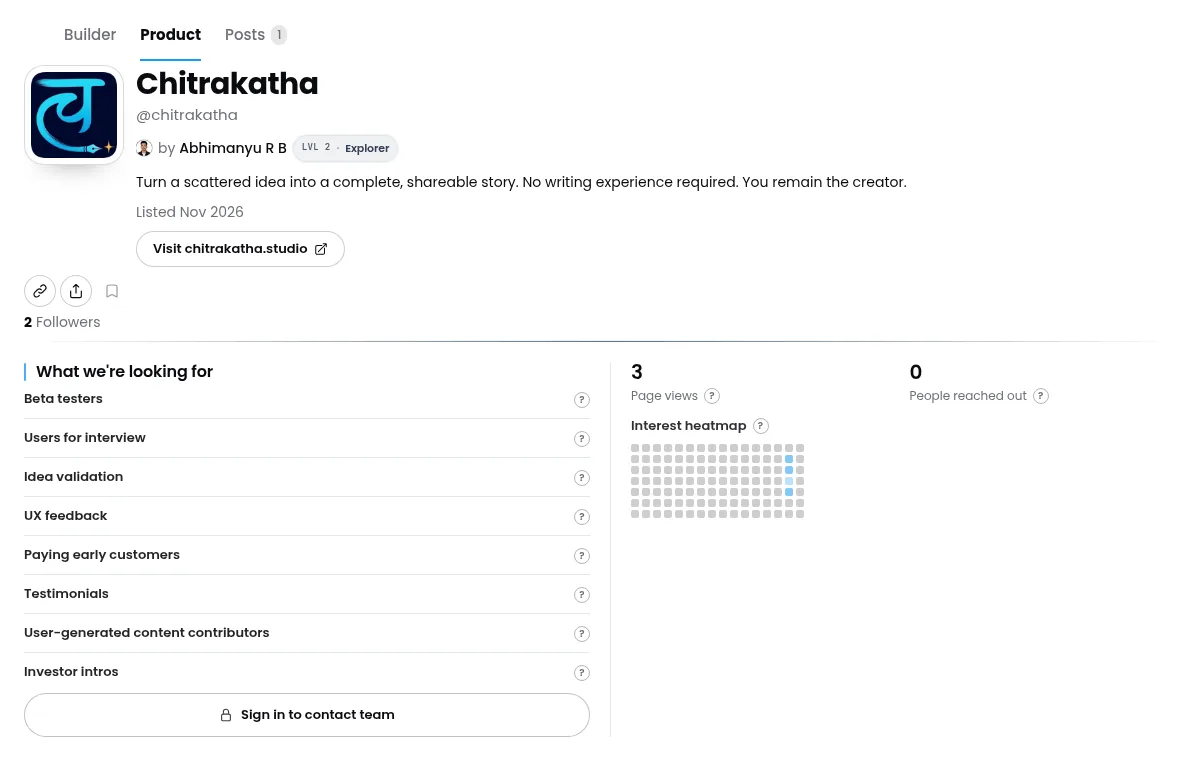
A real product page on ibuildinpublic: the pitch says who it helps and what they get in two short sentences, with one clear button underneath.
Test the pitch on one person outside the project
Send only those two sentences to someone who has not worked on the product. Ask them to explain, in their own words, what it does and what they would click.
If they hesitate, tighten the sentence. If they describe a feature you do not have, cut the claim that made them think so. Do this before you add a logo or a demo, because many directories show the tagline before anything else.
Step 2: Fill the product page like a checklist
The ibuildinpublic FAQ lists what a product page can hold: a name, website URL, logo, pitch, optional highlights and roadmap, an FAQ, involvement options, a demo video, and repo details when connected. Use that list as your pre-submission checklist even if the URL you submit is your own site.
Make the first screen do the work
A visitor from a directory gives you a few seconds. Above the fold, show:
- The product name, spelled exactly as on the listing
- The pitch you already tested
- One primary action: open the app, start a trial, or watch the demo
- A logo that is still readable at small sizes
The origin story can sit lower down. The first screen should let someone who clicked your listing finish that click.
Put proof next to the claim
If you have a demo, a short video, or a public changelog, place it right where it supports the pitch. If you have no users yet, do not invent social proof. A short walkthrough of one real workflow beats a row of logos you cannot back up.
A short FAQ answers what comment threads will ask anyway: who it is for, what it costs, what someone needs to start, and what it does not do. Reuse those answers in the long description field of the directory form.
Say exactly how people can help
Launch day brings offers of feedback, testing, and intros, not just sign-ups. If you want that help, name it. On ibuildinpublic, involvement options such as beta testers, design help, or user intros let a visitor reach out about one specific ask instead of sending a cold message.
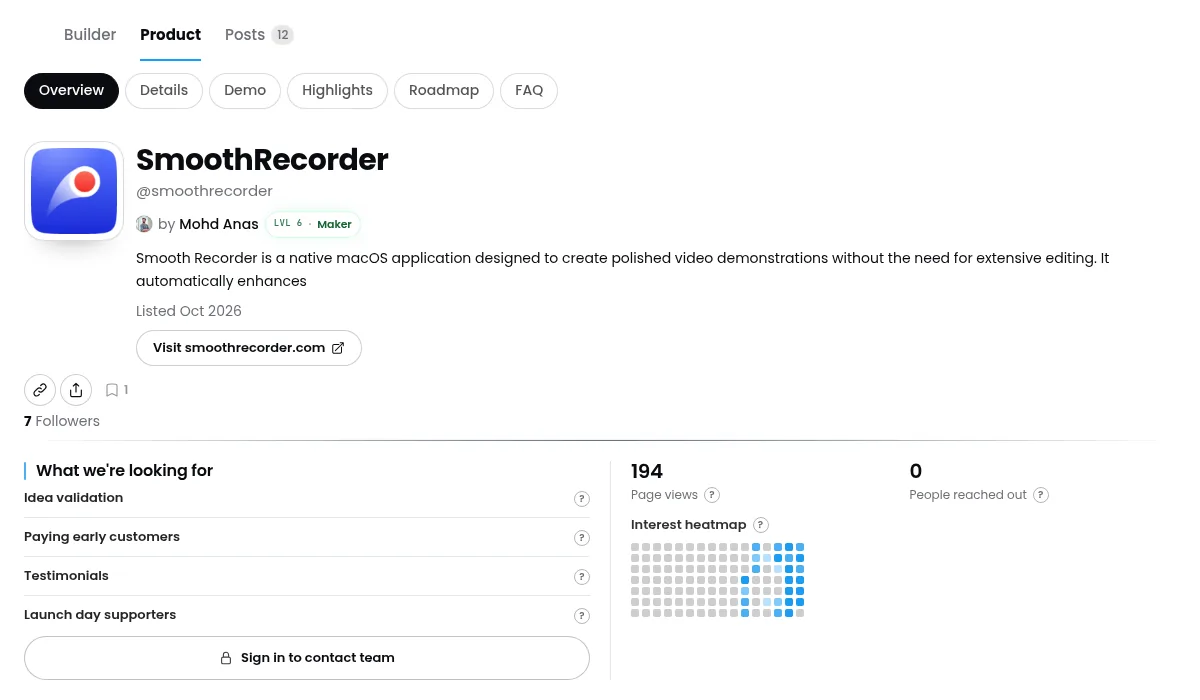
A filled product page keeps the demo, highlights, roadmap, and FAQ one tab away, and lists the help the builder wants, such as idea validation and launch day supporters.
What to leave out of your first listing
You do not need a full brand system or a presence on every directory at once. Skip:
- A founder biography longer than the pitch
- Adjectives that do not change what the product does
- User counts, waitlist numbers, or testimonials you cannot stand behind
- Screenshots of a staging site with dummy data
- A different product name on the listing than on the page
If an optional field has no true answer yet, leave it blank. An empty gallery is better than a misleading one.
Step 3: Run a technical check on the URL you will submit
Words are not the only thing that breaks a launch. A redirect loop, a page blocked from search engines, or a missing share card will cost you clicks from every directory at once.
Run the URL through the free ibuildinpublic audit. It checks things like HTTPS, whether the page is reachable and indexable, robots.txt, the search snippet, the share card, the canonical URL, and the favicon, then gives you a score.
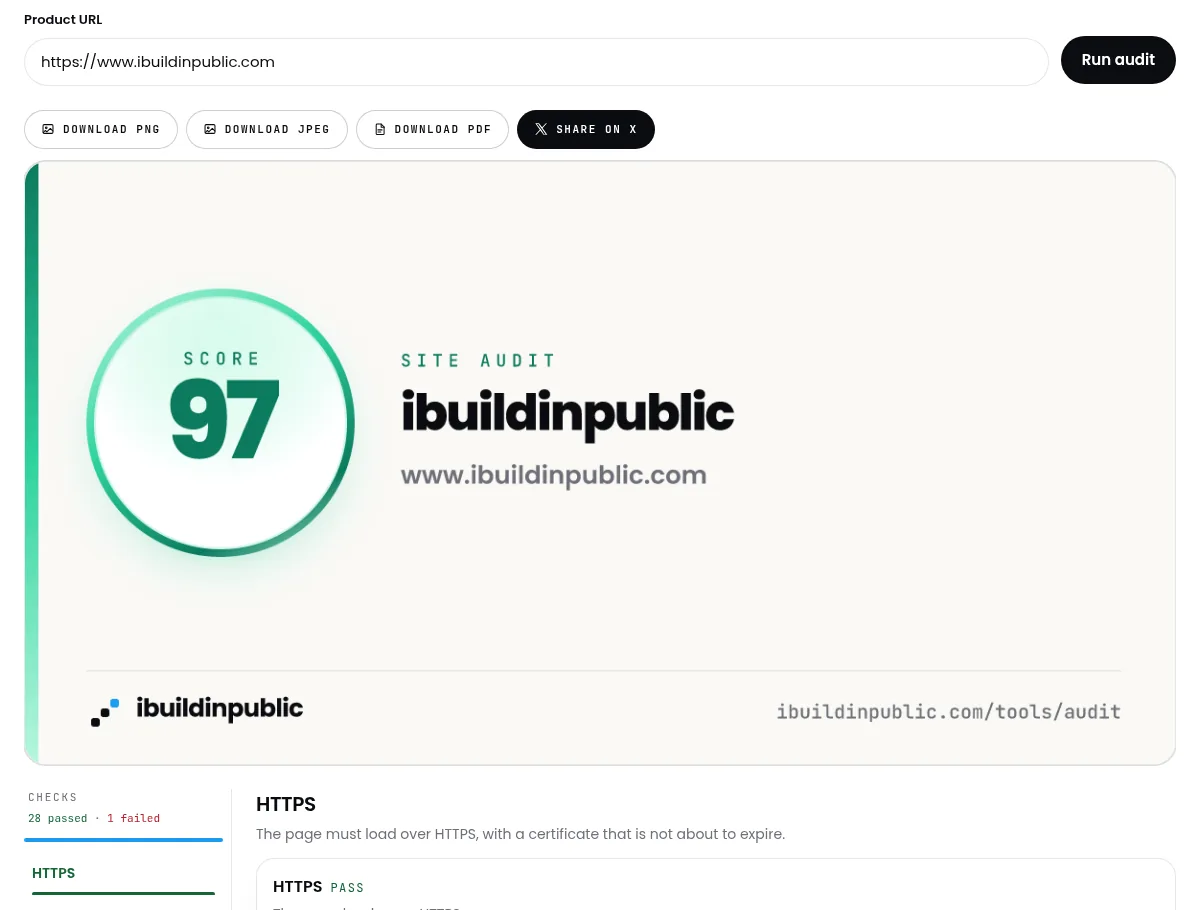
The audit runs 29 checks on one URL (shown here for ibuildinpublic.com itself). Fix any failed check before you paste that URL into a directory form.
Step 4: Submit, then keep the page as home
Open the URL in a private window. Click the main button. Play the demo. Read the pitch out loud. Then fill the directory form with the same name, the same sentence, and the same URL.
After launch day, the listing fades but the page keeps working. It is what visitors open next week and what you update when the product changes. The comparison of ibuildinpublic and Product Hunt explains that split: use the directory for the spike, and keep a page that lasts.
Where to go next
- Browse the products catalog and builder pages to see how other people pitch work that is already public.
- Read builder posts from X, Reddit, LinkedIn, Medium, and YouTube in the links feed.
- Once the page is live, follow the plan in how to get your first 10 users when you build in public.
- More guides on shipping decisions are on the ibuildinpublic blog.